
Arris 3452 FAQ
Get answers quickly for our most asked questions
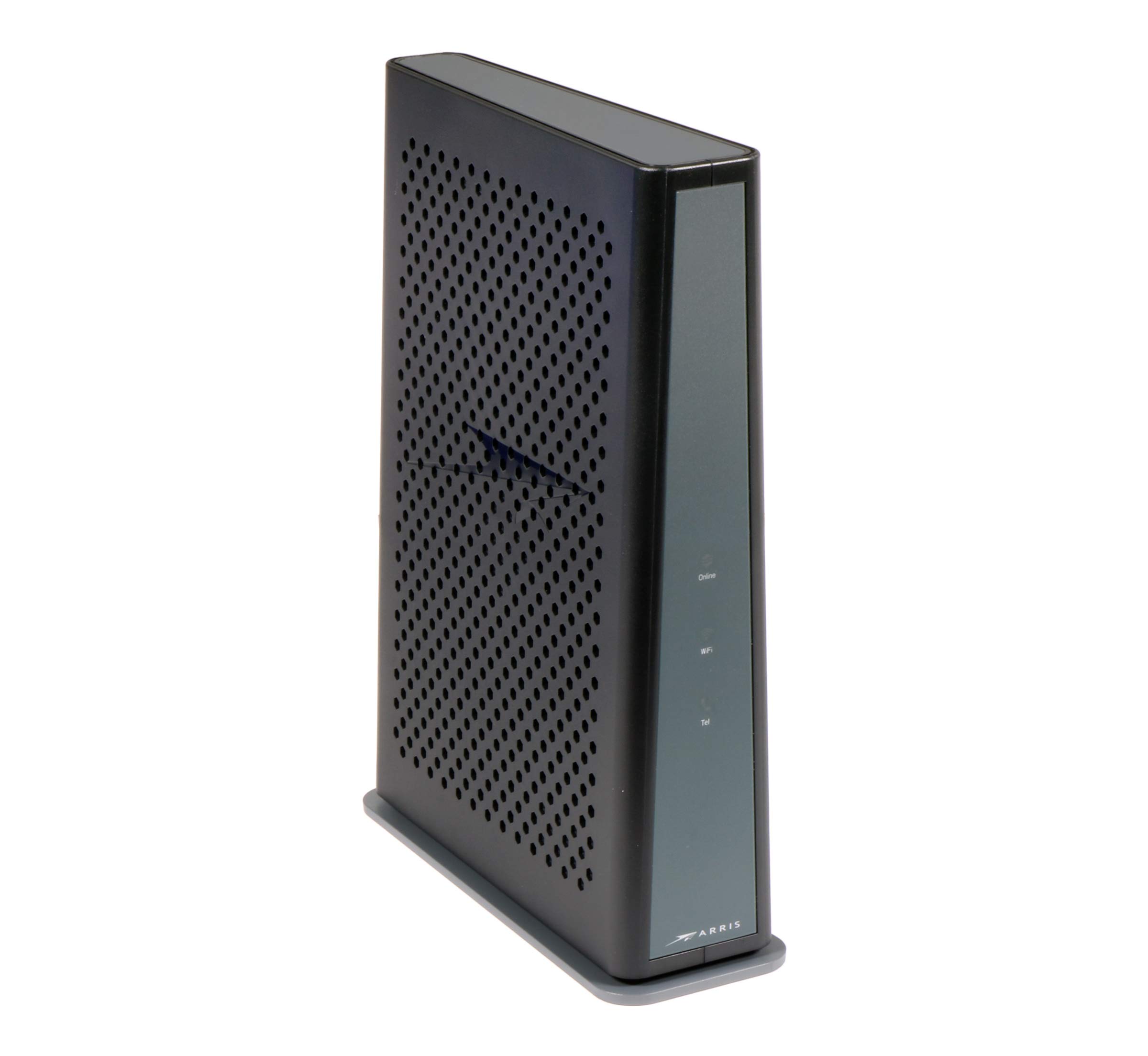
It’s a DOCSIS 3.1 cable voice gateway — meaning a modem + Wi-Fi router + telephony (voice) device in one. It connects to cable internet and provides wired and wireless networking, plus phone service if enabled by your ISP.
It’s capable of multi-gigabit data rates downstream (DOCSIS 3.1 + bonded channels) and high upstream throughput, depending on your ISP plan — up to about 2.5 Gbps or more in ideal setups
Yes — dual-band Wi-Fi with:
2.4 GHz (802.11n)
5 GHz (802.11ac Wave2)
This delivers good wireless performance for most homes.
It has 4 Gigabit Ethernet LAN ports for wired devices like gaming consoles, PCs, switches, etc.
Yes. It has two analog telephone (RJ-11) ports for VoIP if your service provider activates voice services.
It includes MoCA 2.0 home networking through coax wiring, useful for in-home distribution of video/data to MoCA-enabled adapters/devices.
Attach the coax cable from your wall to the gateway’s F-connector.
Connect power.
Wait for the device lights to stabilize (Power → DS/US → Online).
Connect devices via Wi-Fi or Ethernet.
Yes — you can customize SSIDs and passwords after logging into the admin interface (if your ISP allows access).
Possible reasons:
Wi-Fi interference or poor placement
ISP signal issues
Device firmware limitations (ISP-managed)
Outdated standards on connected equipment
This can happen due to signal problems on the coax line, power or firmware issues, or network conflicts — often requires ISP assistance to check signal levels or swap hardware. (Community reports vary.)
Yes, especially when:
Using Ethernet instead of Wi-Fi
Placed in bridge mode with a gaming router
Typically 30–50+ devices, depending on:
Wi-Fi congestion
Device types
Router load
Basic controls only (ISP-dependent):
Device blocking
Time restrictions
Bridge mode:
Disables routing & Wi-Fi
Turns the TG3452 into a modem only
Lets you use your own router
Better Wi-Fi range
Advanced parental controls
VPN support
Mesh Wi-Fi systems
Common causes:
Weak cable signal
Overheating
Power supply issues
Firmware pushed by ISP
Yes. DOCSIS 3.1 gateways run warm.
Make sure:
Vents are not blocked
It’s not inside a cabinet
Ready to Get Connected?
It’s easy, just click the button bellow and use our online order section. Add the services you want, fill in your info, and you are ready to go!